

Search article

ALL

Telsiai Server Now Open
Greetings, Saviors. Telsiai server is now open for access. If you are playing from the SEA region, we advice you to play on this server. Meanwhile, for the SEA players already playing on Klaipeda or Orsha, please remember that we will be providing one-time Team transfers to you once the Exclusive Access period is over, or even sooner if possible. Thank you.

Growing Evergreen Bonus Gift
Greetings, Saviors! Receive additional Adventure Sprouts and special bonus gifts by just logging in to the game over the weekends! See below for details of the bonus gifts available to grab. Event Period FROM the scheduled maintenance on May 14, 2019 TO the scheduled maintenance on June 11, 2019 Who Can Participate - Characters of level 50 and above [Updated] How to Participate - Visit the Bonus Gift Helper NPC over the weekends during the event period to receive additional Adventure Sprouts and special bonus gifts to commemorate the release of Episode 11! Date Items Adventure Sprouts Bonus Gift May 18 (Sat) x200 [Event] Class Change Voucher Lv 4 x1 May 19 (Sun) x200 [Event] Hair 90% OFF Coupon x1 May 25 (Sat) x200 [Event] Hair Dye 90% OFF Coupon x1 May 26 (Sun) x200 [Event] Hair 90% OFF Coupon x1 June 1 (Sat) x200 [Event] Hair Dye 90% OFF Coupon x1 June 2 (Sun) x200 [Event] Class Change Voucher Lv. 4 x1 June 8 (Sat) x200 [Event] Hair 90% OFF Coupon x1 June 9 (Sun) x200 [Event] Hair Dye 90% OFF Coupon x1 Important - The 200 Adventure Sprouts acquired in the above event does not count towards the maximum number of Adventure Sprouts that can be acquired per day as a part of the Growing Together event. - The number of Adventure Sprouts acquired in the above event is fixed and is not increased by the effect of the Growing Together buff. - All event items will be automatically removed at the end of the event period during the scheduled maintenance on June 12, 2019. - All bonus gift items can be transferred via Team Storage but cannot be traded personally via the Market.

4th Anniversary Class Reset
Greetings, Saviors! In order to celebrate the 4th Anniversary of Tree of Savior English Version, we would like to give you a chance to change your class for free! Event Period FROM the scheduled maintenance on March 31, 2020 TO the scheduled maintenance on April 14, 2020 Who can Participate - All Saviors How to Participate STEP 1. Find the Reset Helper NPCs in the cities and talk to them. You can choose one of two: receive up to 3,000 Class Change Points or a set of Attribute and Skill Reset Potions (1 of each, 14 Days). ※ Please note that this is only 1 time event per character. If the character received either Class Change Points or the Reset Potion set, the character cannot receive additional Class Change Points or Potions. Important - Please note that the total Class Points a character can accumulate cannot exceed 3,000 points. - Each class the character has at the moment of interaction with the Reset Helper NPC will determine how many Class Change Point the character receives: a character with only 1 class will receive 1,000 Class Change Points and a character with 3 classes will receive 3,000 Class Change Points.

[COMPLETE] Scheduled Maintenance for September 13th, 2016
Greetings, Saviors!We would like to announce the details of our weekly maintenance for September 13th, 2016. Make sure to check below for the maintenance schedule and patch notes.Please note that other issues and bugs are also being worked on even if they are not mentioned below.

Returning Savior Event: Homecoming Gift (Dec '18)
Greetings, Saviors! If you've been away from TOS for a while, make sure to login now and get your hands on some exclusive returning player goodies! Event Period FROM the scheduled maintenance on December 4, 2018 - Event period renewed during the scheduled maintenance every 4 weeks. Who Can Participate - Players who haven’t accessed their TOS account in 30 or more days How to Participate STEP 1. Log into your TOS account and retrieve the Homecoming Gift (14 Days) from the Message Box in your lodge. This item will be sent automatically to all eligible players. - A total of 1 Homecoming Gift will be sent to each eligible account. STEP 2. Open the Homecoming Gift from your character’s inventory to receive the following rewards: - Returning Savior's Book (14 Days) x5 [Grants all party members + 2000 maximum HP, + 1000 maximum SP, and +1 movement speed for 1 hour. Cooldown is 1 hour.] - Returning Savior's Potion (30 Days) x1 [Grants +500 physical attack and +500 magic attack for 1 hour when used. Can be used multiple times (is not consumed). Cooldown is 1 hour.] - x8 EXP Tome (14 Days) x2 - Attribute Points: 500 (14 Days) x1 - Skill Reset Potion (14 Days) x1 STEP 3. All players eligible for this event can also visit the Event Notice Board in Klaipeda to receive one Boost Pack (14 Days), regardless of Team Level or Character Level! - Click here to read the Rookie Savior Event announcement and see the prizes you can win with the Boost Pack. - The Boost Pack can be received only once per team. If you already got the Boost Pack from the Rookie Savior Event, you will not receive another one during the event period. Important - The edition of the Homecoming Gift announced here will be available to eligible accounts during the event period. The Gift’s contents can be changed for future iterations of the event. - The Homecoming Gift is not transferable via Team Storage, so make sure to retrieve it with the correct character. Items received on the wrong character will not be exchanged or transferred. - Items with time limits cannot be moved via Team Storage and they will begin to count down as soon as they are received in your character’s inventory.
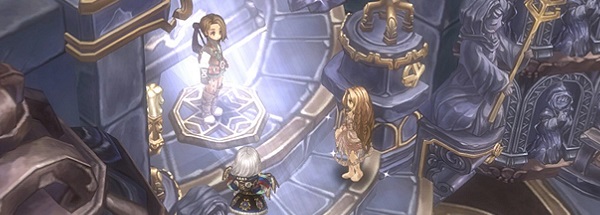
Ep 13 : New Contents, System and System Adjustments
Greetings, Saviors. This is Tree of Savior Developer Team. This posting is the 3rd part of the Ep.13 Update, which is about New Contents, System and System Adjustments. 1st : Episode 13 : Scar of Fate 2nd : New Classes and Class Adjustments 3rd : New Contents, System and System Adjustments 1. Res Sacrae System New equipment Slot [Res Sacrae] With the update of Episode 13, new equipment slot will be added and the new item Res Sacrae will be able to equip. Res Sacrae is ranked as Goddess, which is one rank higher than the Legend rank. Liberate Res Sacrae skill will be automatically learned when equipping the Res Sacrae, and the savior can show intensive power periodically by using Liberate Res Sacrae skill. Under Liberate Res Sacrae status, the appearance of weapon equipped and effect changes according to the level of Res Sacrae, and consumes resource called RP continuously. RP is a permanent consuming resource which does not recover automatically and needs item which can be obtained via contents’ reward for supplement. As there are difficulties to use Liberate Res Sacrae skill, it is designed to have high performance so that it can be the final strike to turn the table in the critical time. Acquisition and Development of Res Sacrae Equipment Res Sacrae can be obtained via quest which is processed when the character level is 450 or above, and it is a developing item that will share the Journey with the saviors. Res Sacrae provides all stats as the main ability and the increase value of all stats increases according to the level. Res Sacrae has three sockets for equipping Res Sacrae Gem. Each socket can be equipped with one of the three Res Sacraes, Cyan Gem, Magenta Gem, Black Gem, which will have a different effect on the main body of the Res Sacrae. Res Sacrae Gem Effect Cyan Gem Effect that activates only once when casting Liberate Res Sacrae skill Decides the amount of RP when casting Liberate Res Sacrae skill Magenta Gem Effect that applies during the Liberate Res Sacrae Decides the amount of RP consuming per second during Liberate Res Sacrae Black Gem Increases the character’s ability when equipping to the Res Sacrae Applies at all time even when the Liberate Res Sacrae is not used Because the Res Sacrae Gem also has a variety of individual items within the categories of Cyan Gem, Magenta Gem, Black Gem, it can be equipped on the Res Sacrae by the Savior’s choice and create synergy with each other. Each Res Sacrae Gem has a level that can be developed, and the effect increases accordingly. Lots of resources are needed to develop the Res Sacrae Gem, but Res Sacrae Level Transfer function will be provided for minimizing sunk cost according to the level increase so that the level can be transferred to other Res Sacrae Gem without burden of expenses. To maximize the effect of Res Sacrae, not only the level up of Res Sacrae is needed but to enhance and loot for the right Res Sacrae that fits the character’s concept is needed. Res Sacrae Contents and Reward As the Res Sacrae system and equipment is planned to be added, the Res Sacrae Contents which can develop the Res Sacrae will also be added. Res Sacrae content consists of Res Sacrae Dungeon and Res Sacrae Quest. Res Sacrae Gem and Breath of Power can be obtained when clearing those contents. Res Sacrae Dungeon The Res Sacrae dungeon consists of the Res Sacrae Dungeon: Auto-match and Res Sacrae Dungeon: Challenge Mode, and the relevant information can be checked via Contents Status Board (F10). You can enter the Res Sacrae Dungeon via Guard NPC in towns, and the specific equipment requirements such as level need to be met. ▲ Patterns and new maps will be added periodically to the Res Sacrae Dungeon. Res Sacrae Gem Enhancement Material and various Res Sacrae Gem can be received as a reward, and Rare Res Sacrae Gem which can be obtained only in Res Sacrae Dungeon is also prepared. Res Sacrae Dungeon: Auto-match which is low difficulty, and the Res Sacrae Dungeon: Challenge Mode which has higher difficulty and reward will be the new main contents that every savior needs. Res Sacrae Quest Res Sacrae Quest consists of quests that can be proceeded repeatedly and can be checked via a separate tab from the Quest window (F5). Res Sacrae Quests are organized to help saviors easily achieve the quest goals through commonly played contents, and consists of Title Quest and Subquests, which can have rewards when clearing each content. The reward for Title Quest can be obtained even when clearing part of the Subquests. Breath of Power, the basic reward of Res Sacrae Quest is used to level up the Res Sacrae. 2. Equipment Item Upgrade Expand Vaivora Weapon Level Expansion Maximum level of Vaivora Weapon will be expanded to Lv.4. Vaivora Level can be increased by Transmutation. Level 3 gives you a similar improvement in ability as existed, and level 4 gives you the option to additionally enhance one of the skills from the regarding class. Some Vaivora weapon adds other additional effects than the specific skill. Equipment status item or item extracted by item can be registered to the main material and sub-material which will be used as material, and the part that ‘2 identical Vaivora equipment of the same level is needed’ is as equal as the Lv.2 Transmutation. For the Transmutation from Lv.3, the Concentrated Vaivora Transmutator and silver is needed. Concentrated Vaivora Transmutator can be crafted by adding a primary raid reward item to the Existing Vaivora Transmutator(name is expected to be changed). Basically, Transmute value increases by 1 from one Transmutation and upgrades to the next level when reaching the maximum Transmute value. If the luck follows, the value can be increased by 2 with low chance, and you can even reach the maximum Transmute value at once if you get really lucky. Transmute value remains as the elemental property of the Vaivora item, the value preserves in the case of extracting with Ichor or equip/unequip as Legend Item, and Market trade. Goddess’/Demon God’s Armor Level Expansion Maximum level of Goddess’/Demon God’s Armor will be expanded to Lv.3 It can be increased by the Transmutation as the weapon, and the part that basic item and item extracted by the ichor can be registered to the main material and sub-material is also the same. For sub-material of Transmutation, identical Goddess’/Demon God’s Armor of the same level is needed, and the Blessed Transmutator and Silver are needed for Transmutation material. The difference between the Vaivora weapon is the material of Transmutation. Transmute value increases by 1 from one Transmutation and upgrades to the next level when reaching the maximum Transmute value. If the luck follows, the value can be increased by 2 with low chance, and you can even reach the maximum Transmute value. Transmute value remains as the elemental property of the Vaivora item, the value preserves in the case of extracting with Ichor or equip/unequip as Legend Item, and Market trade. Basic Ark Maximum Level Expansion and New Ark Added The maximum level of Ark - STR, Ark - INT, Ark - SPR, Ark - DEX which can be obtained per character from the episode quest will be expanded to Lv.10. Ark- Healing Wave, which can be used by Healer will be newly added. Team Common Attribute Common Attribute which applies to all characters possessed in the team will be added. Types of Team Common Attribute begin with basic abilities such as STR, INT or composition similar to Item Random Stats such as Critical Rate, second abilities of Block type, etc. The ability needed for the whole team member can be supplemented by improving the Common Attribute, and the material for the improvement is Attribute, same as the character. 3. Reputation System and Contents Reputation System and how to use - Reestablishment of Kingdom Reconstruction The kingdom's reconstruction team, which dreams of rebuilding the kingdom by human power, was founded with the aim of helping humans rise again with their own beliefs and beliefs about each other, focusing on their faith in the lost goddesses. The Kingdom Reconstruction is an organization that seeks to rebuild the kingdom by the hands of the human, founded by the goal of humans who endured the end with faith in the lost goddesses, to stand again with their own beliefs and trust about each other. Members of the Kingdom Reconstruction have been dispatched to disaster sites and conflict zones in the scattered kingdom to try to resolve the problem. Kingdom Reconstruction, like the Kedoran Merchant Alliance, is a descendant of those who has devoted themselves for the well-being of the kingdom and its people in the dark rather than to the surface of history, and they are looking forward to meeting with the Saviors, who are the witnesses of their reverence. About the Reputation System Reputation system can be used from the Reputation tab in the Character Information window[F1]. Clear the quests from the Kingdom Reconstruction NPC in each areas of Episode 13 to increase the Reputation of the area, and change the collected Reputation into rewards from the Reputation Shop. Following Goddess and Goddess Card Open the following Goddess tab by completing a certain amount of the new episodes. Equip the Goddess Cards that can be purchased from the Reputation Shop in the Following Goddess tab and although it takes effort to obtain the item, the effect is promising. After opening the reputation of the new area of Episode 13, you will be able to obtain a variety of rewards, including special items, personal housing items, and new costumes that can only be purchased in the Reputation Shop according to the Reputation Rate. 4. Content Changes Challenge Mode added in the New Areas, Division Singularity Changes Challenge Mode will be added in the new areas of Episode 13, and the entrance portal of Challenge Mode: Division Singularity will be transferred to areas of Episode 13. Maximum Character level will be expanded with the Episode 13: Scar of Fate update, and the Lv3 Vaivora Weapon or Lv2 Goddess’/Demon God’s Armor will drop by a low chance along with the original Vaivora Weapons in the Challenge Mode/Division Singularity of the new area. Challenge Mode / Division Singularity Auto Match Auto Match is added to Challenge Mode and Challenge Mode: Division Singularity. Auto Match from by clicking [Enter] in the Challenge Mode Auto Match of Contents Status Board(F10). Entry Count is shared with the Challenge Mode in normal fields, and can enter together with a maximum of 2 party members. There are 3 areas in Challenge Mode Auto Match and each area has an entry level and requirement in equipment. There’s only 1 area in Division Singularity Auto Match, and also has an entry level and requirement in equipment. Area Character Level Main Weapon Armor Accessory Ark Seal Area 1 361 ~ 399 Unique Lv. 350 or above Unique Lv. 350 or above - - - Area 2 400 ~ 450 Legend Lv. 400 or above/ Equip Fixed Ichor/ Transcendence Stage 5 or above Legend Lv. 400 or above/ Equip Fixed Ichor/ Transcendence Stage 5 or above Equip Unique Accessory Lv. 300 or above Equip Ark (except Ark-Dummy) Equip Seal Area 3 450~ Legend Lv. 440 or above/ Equip Vaivora Ichor/ Transcendence Stage 5 or above Legend Lv. 440 or above/ Equip Fixed Ichor/ Transcendence Stage 5 or above Equip Unique Accessory Lv. 300 or above (2020 Botanic Accessory available) Equip Ark Lv.3 or above (except Ark-Dummy) Equip Seal ▲ Entry Condition of Challenge Mode Auto Match Area Character Level Main Weapon Armor Accessory Ark Seal Set Option Division Singularity 450 ~ Legend Lv. 440 or above/ Equip Vaivora Ichor/ Transcendence Stage 8 or above Legend Lv. 440 or above/ Equip Fixed Ichor Lv. 400 or above/ Transcendence Stage 8 or above Equip Legend Accessory Lv. 350 or above Equip Ark Lv.5 or above (except Ark- Dummy) Equip Boruta Seal Required ▲ Entry Condition of Division Singularity Auto Match There is only 1 stage instead of 7 in Challenge Mode Auto Match, and monster spawns more quickly than the Challenge Mode in the field. In Auto Match, you can select the buff that can aid in the place of the class missing in the party, and the difficulty will be set according to the entry condition. In Challenge Mode Auto Match, when the amount of damage given by my character is lower than a certain ratio of the total damage given by the party, less silver will be given as a reward. Healing Class can choose to carry out a gimmick that allows giving damage with healing skills, and it is difficult for a support only class to receive a maximum silver reward in Challenge Mode Auto Match. Changing(swap, remove) the equipment during content and usage of skill scroll will be limited in Auto Match. You can clear the Challenge Mode in the normal field with the party members of your choice as before. The stages are adjusted from 7 to 5 stages and the time limit per stage is reduced. Also, 1% of silver will be limited from obtaining per 1 level gap if the character is above lv. 11 from the level of the field. Challenge Mode in the normal field will also be applied in the areas of Episode 13. A monster's buff gimmick will be added to both Challenge Modes, which will be disadvantageous to characters who do not actually play by themselves, and the total playtime is shortened. Total Silver given as a reward will be reduced. Division Singularity in Auto Match and field will also differ as above. Dimensional Collapse Point Changes Dimensional Portals will now only be created in the new areas. Sage Envoy NPC that provides Dimensional Portal Scrolls will also be placed in the new area. Field Drop Items Added You will now be able to obtain contents voucher such as Challenge Mode Entry Voucher (3 Days, Cannot be shared by Team) and various Legend Raid Entry Voucher (3 Days, Can be shared by Team) by a low chance when hunting monsters with a level gap within 20 in the field. When you’ve spent all your entry count and mercenary badge exchange count, you will be able to achieve additional entry count by hunting in the field. Tutorial/Guide Reorganization Each system that used to provide content guidance such as Tutorial and Help will be reorganized. Through this, we will provide opportunities for new saviors to learn about the existing system when they first encounter the Tree of Savior and continue to reorganize it. In addition, if a new system or content is added, the goal is to provide information within the game according to the update or game guide on the official website. To that end, the development team will integrate the game guide with the tutorial guide and the tutorial mission. (The existing Help will not be removed and will continue to be added/adjusted.) The tutorial guide provides you with a guide that helps you play games from basic functions of games that you need to play to processing information of high-grade requirements such as Seal, Ark, and Ichor Extraction. Like the original help system, this will be guided to the savior at the appropriate time during gameplay, and you can check it again at any time. The tutorial mission is hands-on content that, when it requires more information and experience to fully utilize the system and content, this will be given in quest form to be completed and rewards will be given. Like the Tutorial Guide, his will be guided to the savior at the appropriate time during gameplay, and tutorial items and equipment are prepared for the Tutorial Mission only. The development team will continue to add and update tutorial guides and missions on new systems, content, or changes to assist the saviors in their smooth gameplay. 5. Giltine Raid and Guild Quest added Demonic Sanctuary [Party Raid] Demonic Sanctuary, new Boss Raid for Party will be added. Giltine stands in front of the savior who arrived at Divine Sanctuary to prevent chaos. This Giltine is only a vision created by Chaos, and although its power does not reach Giltine's original power, it is threatening enough to the Savior. Demonic Sanctuary is a 5 member party raid that can be entered from Demonic Sanctuary Portal at Pradzia Temple. You can enter the raid both with selected party members or by Auto Match. You can obtain Ectonite, an item used to charge RP (Res Sacrae Point) by clearing Demonic Sanctuary. You can obtain Enhancement Ingredient of Res Sacrae Gem or Res Sacrae Gem in normal mode (not Auto Match) additionally by chance, and a rare Res Sacrae Gem or Legend Giltine Card ingredient that can only be obtained in Demonic Sanctuary by a low chance. (You need Legend Boruta Card in order to craft Legend Giltine Card and the level of the Boruta Card used as an ingredient is transferred without any loss.) Battle in Demonic Sanctuary [Guild Quest] Demon God Giltine appears in Guild Quest, Blockade Battle. Guilds that seized 1 or more Guild Territory can enter the new blockade battle, like the Battle in Sulivinas Lair. Guilds that did not seize any territory can proceed with the content by normal guild quests. Maximum of 15 players can participate in Battle in Demonic Sanctuary. Both Blockade Battles can be preceded by a single guild per week, but each guild member can only choose to enter one battle, either Battle in Sulivanis Lair or Battle in Demonic Sanctuary. The ranking is recorded separately according to the clear time of each blockade battle, and a corresponding reward is given. Rewards of Battle in Demonic Sanctuary are equal to battle in Sulivinas Lair other than a Battle in Demonic Sanctuary only reward box. ※ Contents, values, and attached materials described in this posting may be added, deleted, or changed when applied to the live server.

64Bit & DirectX11 Update Announcement
Greetings Saviors! On June 1, 2021, We have a few updates on the client. This is about the details, so please refer to this posting before playing TOS:) Selects the version of Client when executing the Game - Provides both 32bit and 64 bit at the same time for stability. - If it's hard to play the game due to unexpected problems at 64bit, please choose 32 bit to play. Operating System(OS) Bit Client Version 32Bit user Automatically executes the previous 32bit client. 64Bit user - When clicking [Start Game], it starts with 64bit client. If you want to play with 32bit client, please click [Start 32bit Version] on the bottom. - ‘Automatically start the last selected version’ function is added. If you check on the function, the previously selected version's client automatically starts after 3 seconds the window pops up. - If you uncheck the 'Automatically start the last selected version' within 3 seconds and click Start Client, the auto play function turns off from the next execution. - If it's hard to play the game due to unexpected problems at 64bit, please choose 32 bit to play. Automatically selects DirectX according to the PC - DirectX version is automatically executed according to whether the graphic card supports the DX 11. - Graphic card that does not support DX11 is executed by DX9 version, graphic card that supports DX11 will be executed by DX 11 version. How to check on the Bit of Operating System(OS) - Can be checked via the route as follows depending on the Windows version Operating System(OS) Route Windows XP or below (98, ME, XP) This PC - Properties - Basic - System (If there is 64, it is 64bit and if not, 32bit) Windows 7, Windows Vista Control Panel - System and Security - System - System Type (32bit Operating System, or 64bit Operating System) Windows 10 Control Panel - System and Security - System - System Type (32bit Operating System, or 64bit Operating System) About Windows 7 - When an update for KB2670838, KB2999226 from Windows Update is not processed, DX9 version will be executed even when using the DX11. - If DX9 is executed in Windows 7 & DX11 graphic card environment, please process the Windows Update. [Platform update for Windows 7 (KB2670838)] https://www.microsoft.com/download/details.aspx?id=36805 [Windows 7 update for x64 based system (KB2999226)] https://www.microsoft.com/download/details.aspx?id=49093 64Bit & DirectX11 Related Issue - If you have any issues related to the 64bit & DirectX11, please submit us a ticket. We will do our best so that this update can be securely set to provide the best environment to play the game. Thank you.
[EDITED] Scheduled Maintenance for December 5~6, 2022
Greetings, Saviors!We would like to announce the details of our weekly maintenance for (December 5-6, 2022). Make sure to check below for the maintenance schedule and patch notes.Please note that other issues and bugs are also being worked on even if they are not mentioned below.
Scheduled Maintenance for September 12, 2017
Greetings, Saviors!We would like to announce the details of our weekly maintenance for (September 12, 2017). Make sure to check below for the maintenance schedule and patch notes.Please note that other issues and bugs are also being worked on even if they are not mentioned below.