

Search article

ALL

Item Restore Policy
Hello saviors, This policy is a service designed to take care of unrestorable damage such as accidental loss of items or receiving items that cannot be used by the savior. Therefore, if the item is lost as a result of using the system where there is a possibility of destruction, or if the item received can be used or retrieved in other ways such as trading, it is basically excluded. <Item Restore Policy> - Items can be restored when the ticket is reported within 3 days after the incident. - Items cannot be restored if there isn't any data or if the item has been normally traded/consumed. - We cannot help with the damage caused by a shared account or hacking. - Items deleted according to the deletion date announced in the notice cannot be restored. - Items obtained via abnormal use (bug, abusing, hacking, etc) of the game cannot be restored. - Item might not be recovered due to limitations on the system even if it isn’t mentioned in the [Non-restorable Types] category. - 1 item can be restored per 1 ticket. (When restoring the Selection Box, 1 from 3 restore counts will be deducted per box.) - Items that have been used as a material for crafting via Blacksmith cannot be restored. - Transferring items or information to another account is impossible because the relationship between the accounts cannot be proved. (1) Details of Policy ① The service will be provided 3 times a year per account. ② Following cases will be excluded from restoration: Restoring item due to a change of mind, item that changes according to chances per attempts, when a part of the items are already consumed, expired timed items, and other cases that violate the service policy. (2) Restore Range ① Restorable Cases Type Content Dismantle Equipment If the item is dismantled by mistake, we will withdraw the obtained Nucle Powder, Sierra Powder, and Enchant Jewels and restore the item to its original state. ※ The items stated above to be withdrawn have to be in the inventory when you send us a ticket. Changing Trade Status of items after personal trade If the Trade Status of the item or the Total Untradable number is changed after personal trade, the item can be transferred to another character in the team. (Only once per item) Discard item We will restore the item when the item has been discarded in the Field or Dungeon by mistake. Received by mistake If an event or reward item given via Message box/NPC/Item box is received by a character other than the one you wanted, the received item will be withdrawn and the item will be given again. (Tradable items are excluded.) ※ Item is only restored when the ticket is sent within 72 hours after receiving the item by mistake. ※ Title can be restored if it was given as a form of item. ※ The item stated above to be withdrawn has to be in the inventory when you send us a ticket. ※ Cannot be restored when the item is crafted (Enhance/ Identify/ Transcendence/Awaken/Enchant Jewel/Appearance change/Socket expansion, etc) and is in different status than it was when received. Character/Companion Delete Can be restored when the Character/Companion is deleted. ※ Make sure the Slot is available in the lodge, and if you have character with the same name as the character you want to restore, please change the existing character’s name before sending the ticket. Item created from Equipment Storage Can be restored when creating Accessory/Ark by mistake. ※ Item created by mistake will be retrieved and the amount of silver consumed will be restored. ※ When you have crafted the crated item, the materials used when crafting won't be restored. (※added on July 26, 2022) ② Unrestorable Cases Type Content Enhanced/Transcended/Awakened Equipment Cannot be restored when the equipment such as Weapon, Armor is enhanced, and when the items are destroyed due to failing the Enhancement/Transcendence. Class Advancement / Change Cannot restore or reset to the previous status when Class is advanced. Class change point cannot be restored when class is changed. ※ You can change the class by collecting the Class change point in the Advancement Info. Ichor Cannot be restored when: - Item is consumed due to failure of extracting Ichor - Item is consumed due to failure of transmuting Ichor - Cannot extract when Ichor is equipped in the equipment - Item is consumed due to success of extracting the Ichor ※ Fixed Stats/Random Stats Ichor can be unequipped via Teliavelis NPC in Fedimian. Item Stat Cannot restore or reset if the stat of the item is changed by using Enchant Scroll, Magnifier, etc Title Cannot be restored when the title from event/quest reward is applied directly to the character Consumed Item When some of items that requires withdrawal are consumed Expired Item Expired item cannot be restored Craft All items related to crafting cannot be restored. Stat/Skill/Attribute/Arts Cannot restore or reset when you acquire Stat/Skill/Attribute/Arts. ※ Stat/Skill/Attribute/Arts can be reset by using Stat Reset Potion/Skill Reset Potion/Attribute Reset Potion/Arts Reset Potion. ※ Arts learned from previous Class cannot be restored when changing the Class Tree. Equipped Gem Gems cannot be restored if the gem is equipped with the equipment. ※ Gem can be extracted via Blacksmith NPC. Socket Cannot be restored to the previous status when the socket is added to the equipment. Legend Card Enhancement Enhancement material cannot be restored when the Legend Card is enhanced. Gem/Card Enhancement ※ Legend Card is enhanced by chance, and therefore the material used to enhance the card won’t be restored. ※ The item to be withdrawn has to be in the inventory when you send us a ticket. Assister Card Assister registered in the Assister Cabinet cannot be restored. ※ Only unused Assister Card in the inventory can be restored. Registered Items Items registered in the Equipment Storage cannot be restored. (※added on September 24, 2021) Cube Items obtained by chance when opening the cube cannot be restored. Ex. Goddess' Cube, Leticia's Cube, Secret Cube, etc. (※added on January 26, 2022) ※ Any kind of restore policy won't be applied when opening the packages purchased with TP, regardless of the reason. (The items in the package have to be unused.) (3) How to send a ticket STEP 1. Go to [Support] category on our official website. STEP 2. Write a ticket with a steam account that matches the team name. STEP 3. [Item Recovery] need to be mentioned in the title. (Category: ETC) STEP 4. Write the details. - When and Why the incident happened. - Which character has the item. ※ The policy might change due to updates. [Update: May 11, 2021] ※ It may take up to 1 week to get the item restored.
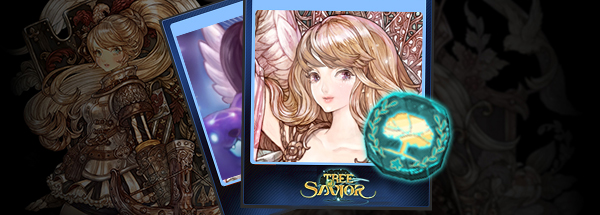
Introducing Tree of Savior Steam Trading Cards!
Greetings Saviors! We are pleased to announce that Tree of Savior Steam Trading Cards will soon be implemented! They will become available as soon as they are approved by Valve. You will be able to gather Trading Cards, Craft Badges and display Profile Backgrounds/Emoticons from Tree of Savior on Steam. Click here(https://steamcommunity.com/tradingcards) to read more about what Steam Trading Cards are and how to obtain them! Down below are some examples of what you can expect from the Trading Cards. We are sure that some of you will soon be bashing :whitepopo: at guildmates being lazy and not avoiding telegraphed knockback attacks! Sincerely, IMC Staff [Steam Trading Cards & Badge] [Steam Chat Emoticons] [Steam Profile Backgrounds]

Log Calendar (May '18)
Greetings, Saviors! Login to TOS every day and get your hands on 21 days’ worth of special treats! Event Period FROM the scheduled maintenance on May 2, 2018 TO the scheduled maintenance on May 29, 2018 Who Can Participate - Players of all levels How to Participate STEP 1. Drop by the good old Event Notice Board to get your daily reward. The daily reward will depend on the total number of days you logged in during the event period. - Each reward can only be received once per day, per team. STEP 2. The Log Calendar is 21 days, so after you collect all 21 daily prizes, the calendar will restart, and on the next day you will receive the prize corresponding to Day 1. Log Calendar Rewards DAY 01: Fortune Cookie (14 Days) DAY 02: Lv2 Settlement Support Potion DAY 03: Goddess Statue (3 Days) DAY 04: Fortune Cookie (14 Days) DAY 05: Megaphone DAY 06: Miracle Seeds (3 Days) DAY 07: Instanced Dungeon Multiply Token (14 Days) DAY 08: Fortune Cookie (14 Days) DAY 09: New Year's Soup (3 Days) DAY 10: Soul Crystal DAY 11: Keista Restoration Potion Lv2 DAY 12: Fortune Cookie (14 Days) DAY 13: Instanced Dungeon One Entry Voucher (14 Days) DAY 14: Premium Awakening Stone (14 Days) DAY 15: Warp Scroll (14 Days) DAY 16: Fortune Cookie (14 Days) DAY 17: EXP Tome (14 Days) DAY 18: Silver Anvil (14 Days) DAY 19: Golden Anvil (14 Days) DAY 20: Enchant Scroll (14 Days) DAY 21: Attribute Points: 500 (14 Days) Important - If you don’t login on consecutive days, the calendar will not reset to Day 1. For example, you can receive the rewards for Day 1 today, then login 5 days later to receive the reward for Day 2 (you will not receive the reward for Day 1 again). - You cannot receive multiple rewards from this event on the same day. Each reward can only be received once per day, per team. - Items with time limits cannot be moved via Team Storage and they will begin to count down as soon as they are received in your character’s inventory.

Tree of Saviors the Movie: Final Revelation
Greetings, Saviors! We have been preparing a small surprise for the April 1st. We hope you can enjoy our little surprise.

Goddess' Blessed Cube: Apr 23, 2019
Important: All the Goddess' Blessed Cubes follow the updated item list regardless of the date it was purchased. This policy will be standard unless stated otherwise. e.g. Goddess' Blessed Cube A (purchased in November of '18), B (purchased in January of '19) and C (purchased in February of '19) will all follow the item list the most current.

Scheduled Maintenance for March 14-15, 2022 - Skill Balance & Bug Fix
Greetings, Saviors!We would like to announce the details of our weekly maintenance for (March 14-15, 2022). Make sure to check below for the maintenance schedule and patch notes.Please note that other issues and bugs are also being worked on even if they are not mentioned below.

[SPECIAL] Thanksgiving Package
Sale Period FROM the scheduled maintenance on November 12, 2019 TO the scheduled maintenance on November 26, 2019 Challenger Package 99 TP Max. 5 Per Team Item Tradability Team Storage Challenge Mode One Entry Voucher x30 X O Challenge Portal Scroll x15 X O Raid Portal Stone x50 O O Legend Raid Portal Stone x10 O O Attribute Points 10,000 Ticket x1 X O Endeavor Package 287 TP Max. 3 Per Team Item Tradability Team Storage Rare Enchant Jewel x30 X O Unique Enchant Jewel x10 X O Legend Enchant Jewel x3 X O Premium Awakening Stone x10 X O Lv. 400 Awakening Abrasive x10 X O Silver Anvil x10 X O Golden Anvil x5 X O Ancient Golden Socket x1 X O Double Happy Bag 99 TP Max. 1 Per Team Item Tradability Team Storage Double Happy Bag (Token x2) x1 X O To Begin Weapon Box 30 TP Max. 1 Per Team Item Tradability Team Storage To begin: Weapon Box x1 X O - After purchasing the To begin: Weapon Box, right-click to choose one of the following weapons available in the box: To begin: Sword To begin: Two-handed Sword To begin: Rod To begin: Bow To begin: Crossbow To begin: Mace To begin: Spear To begin: Pike To begin: Staff To begin: Rapier To begin: Shield To begin: Dagger To begin: Cannon To begin: Pistol To begin: Musket To begin: Two-handed Mace - The weapon obtained from the To begin: Weapon Box will be given random Transcendence and Enhancement values. - The weapon's Transcendence value will be between TRA +5~10 and the Enhancement value will be between ENH +6~16. - The weapon's level requirement will match your character's current level and they will grow along with you as your character levels! Important - Weapons obtained from the To begin: Weapon Box cannot be traded between players or via the Market but can be transferred via Team Storage.

[SPECIAL] Snow Globe Cube - Mar 19, 2019

[EDITED] Scheduled Maintenance for February 16, 2021
Greetings, Saviors!We would like to announce the details of our weekly maintenance for (February 16, 2021). Make sure to check below for the maintenance schedule and patch notes.Please note that other issues and bugs are also being worked on even if they are not mentioned below.